
AI
AI is off until you set up a provider in Settings ▸ Tools ▸ AI:
- Your own API key: Anthropic, OpenAI or Gemini. The key is kept in your system's credential store, and requests are billed to your account.
- Ollama: models that run on your computer and send nothing out. No key needed.
The assistant
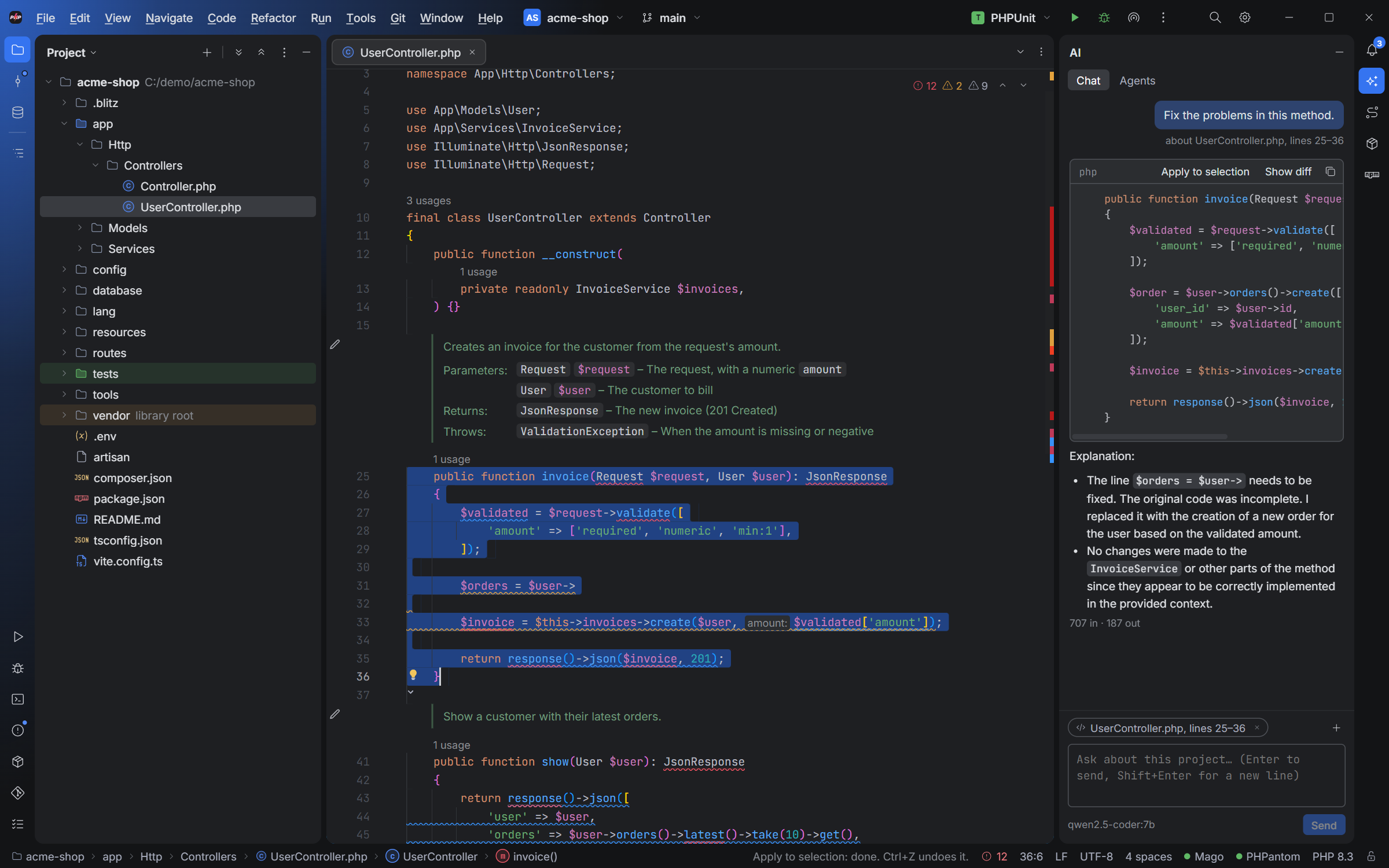
- Chat in the AI tool window: it knows the open file, the selection, its problems and the classes it uses (from the index). Code in its answers has Apply and Show diff.
- Edit with AI (Ctrl+Shift+I): describe a change; it shows as a diff you accept or not.
- Commit messages from your changes, with ✨ in the Commit window.
- Ghost text while typing, off by default.
What is sent, and when: see Your code and privacy.
Agents
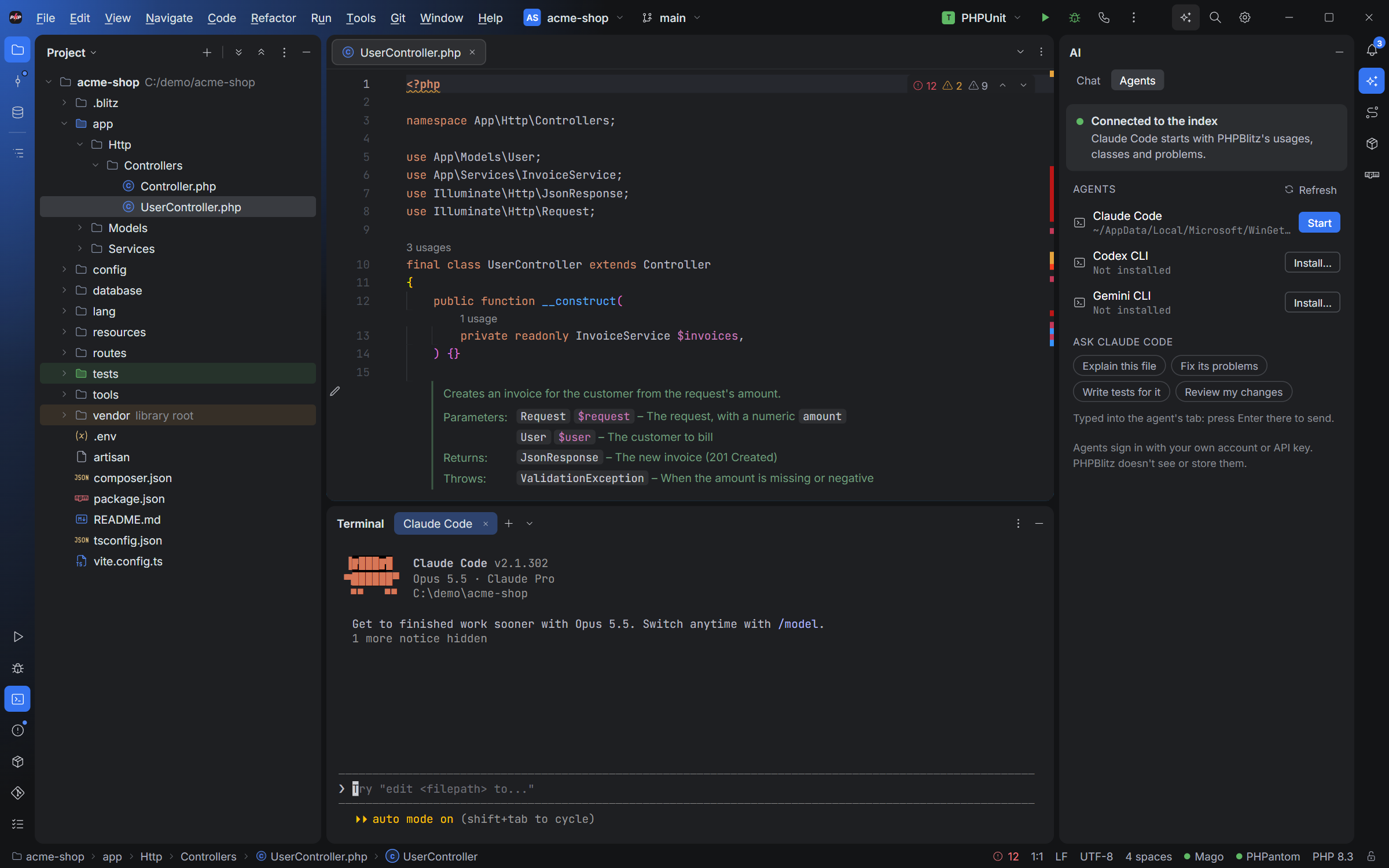
The AI tool window's Agents tab starts Claude Code, Codex or Gemini CLI in a terminal tab, signed in with your own account, and sends them prompts about the open file.
An optional MCP server (Settings ▸ Tools ▸ AI, off by default) lets agents use PHPBlitz's index (usages, classes, problems) instead of searching files. It only accepts connections from this computer with its token, and only reads.