
Layouts
PHPBlitz has two layouts. Choose in Settings ▸ Appearance & Behavior ▸ Appearance ▸ Layout, View ▸ Appearance ▸ Layout, or on the welcome window's Customize page.
- Classic: tool window bars on the sides, tool windows in side columns and a bottom panel.
- Focus: the editor tabs in the top bar, and every panel, the editor included, placed where you want it.
Both keep how you left them for each project, and new projects start from the last one you used.
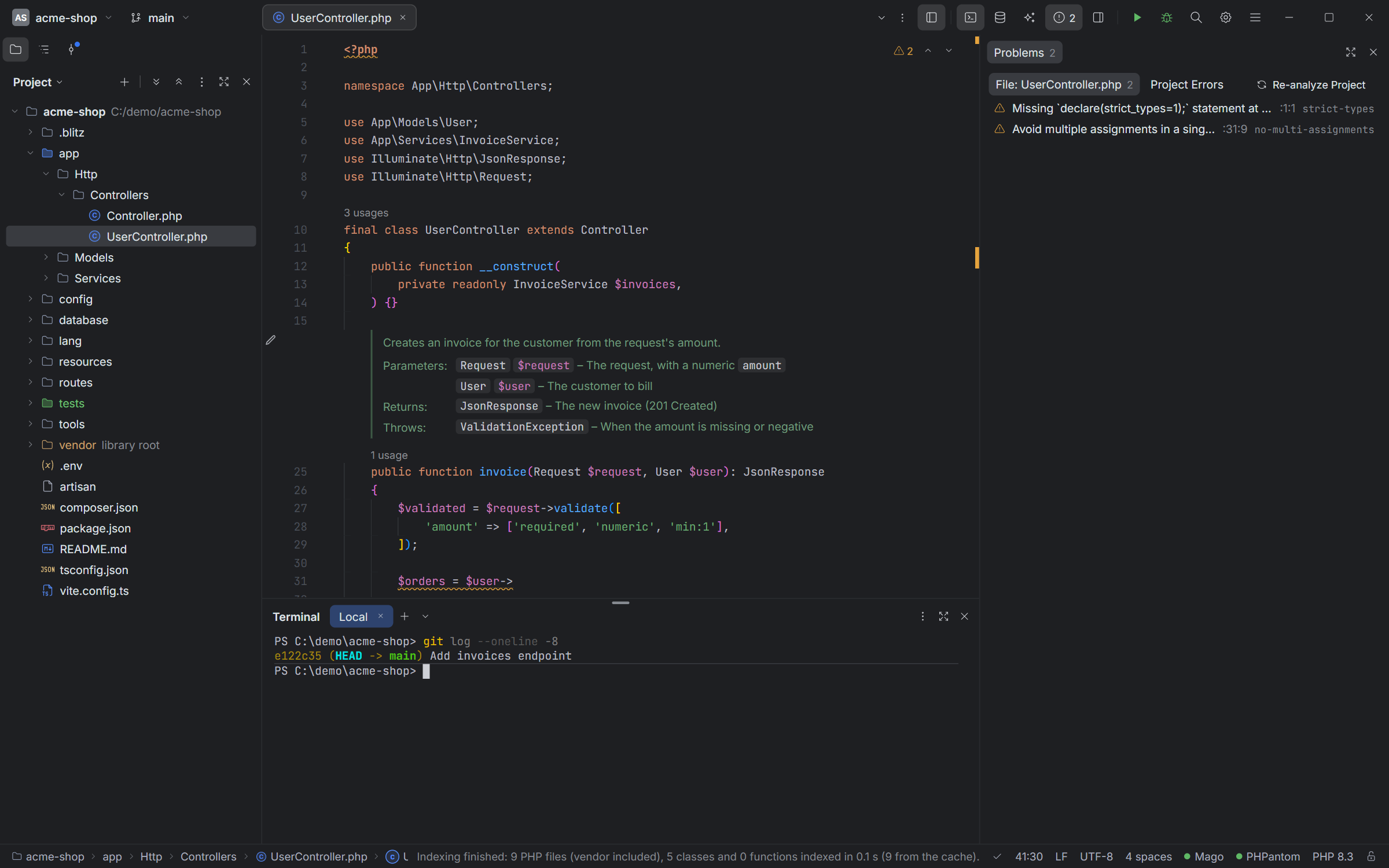
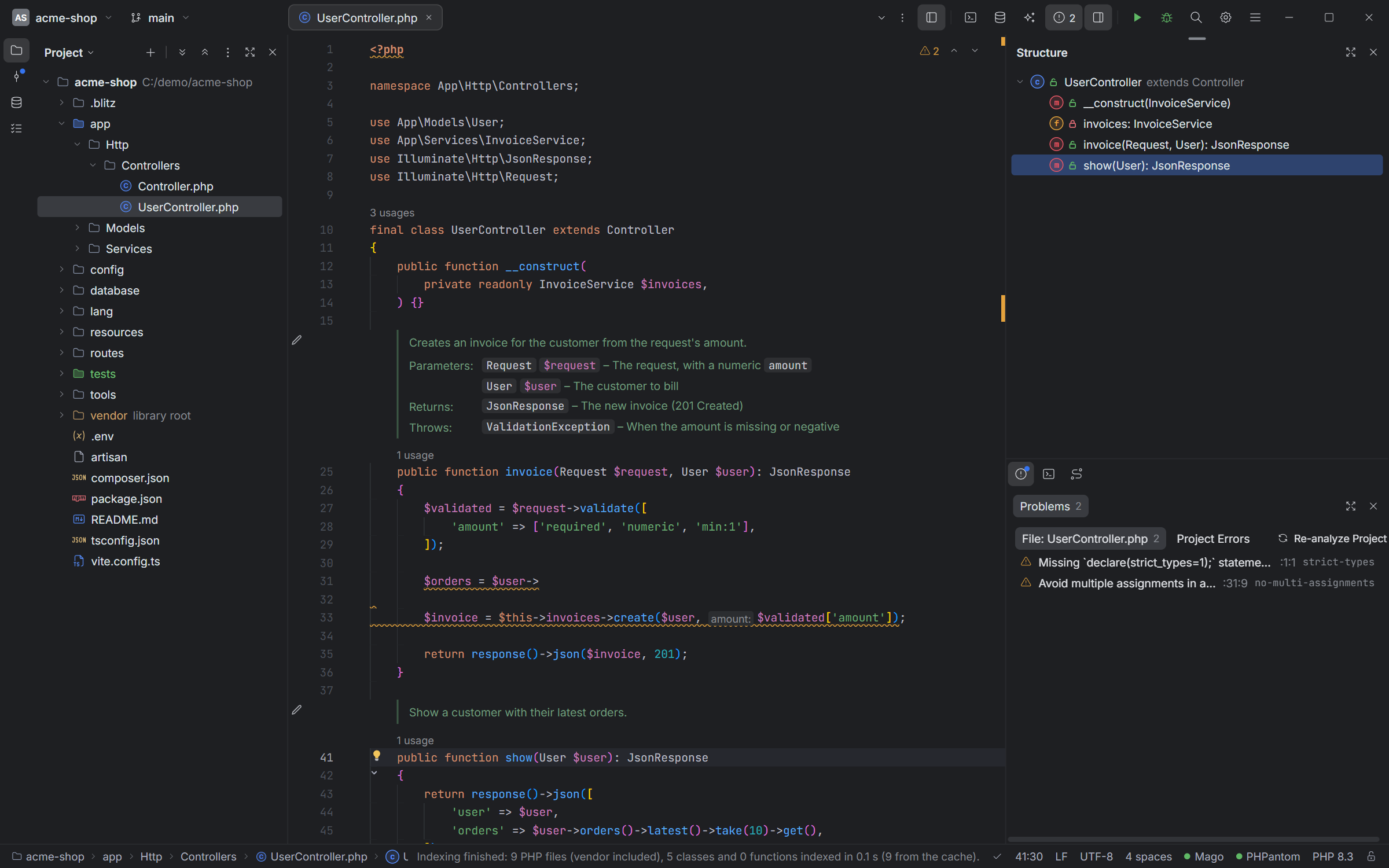
Focus: columns, groups and panels
The window below the top bar is columns side by side. Each column is a stack of groups, and each group shows one panel at a time: the editor, or a tool window like Terminal, Problems or Database. A group with several panels has icons to switch between them, like the sidebar's Project, Structure and Commit.
- Open and close: the top bar toggles Terminal, Database, AI and Problems; its ⋯ list has the others. Closing a panel hides its group in its place, so opening it again brings it back there.
- Resize anything with the lines between columns and groups.
- Maximize a panel with the button in its header, or Ctrl+Shift+F12; again to restore.
- The sidebar button at the top shows or hides the column left of the editor.
- Narrow window: the top bar's icons fold into its ⋯ list instead of being cut off.
Dragging panels
Drag a panel by its header, its icon in a group, or the grip that shows at a group's top edge (the editor has no header: use its grip). Where you let go decides where it goes, and the blue area says it before you do:
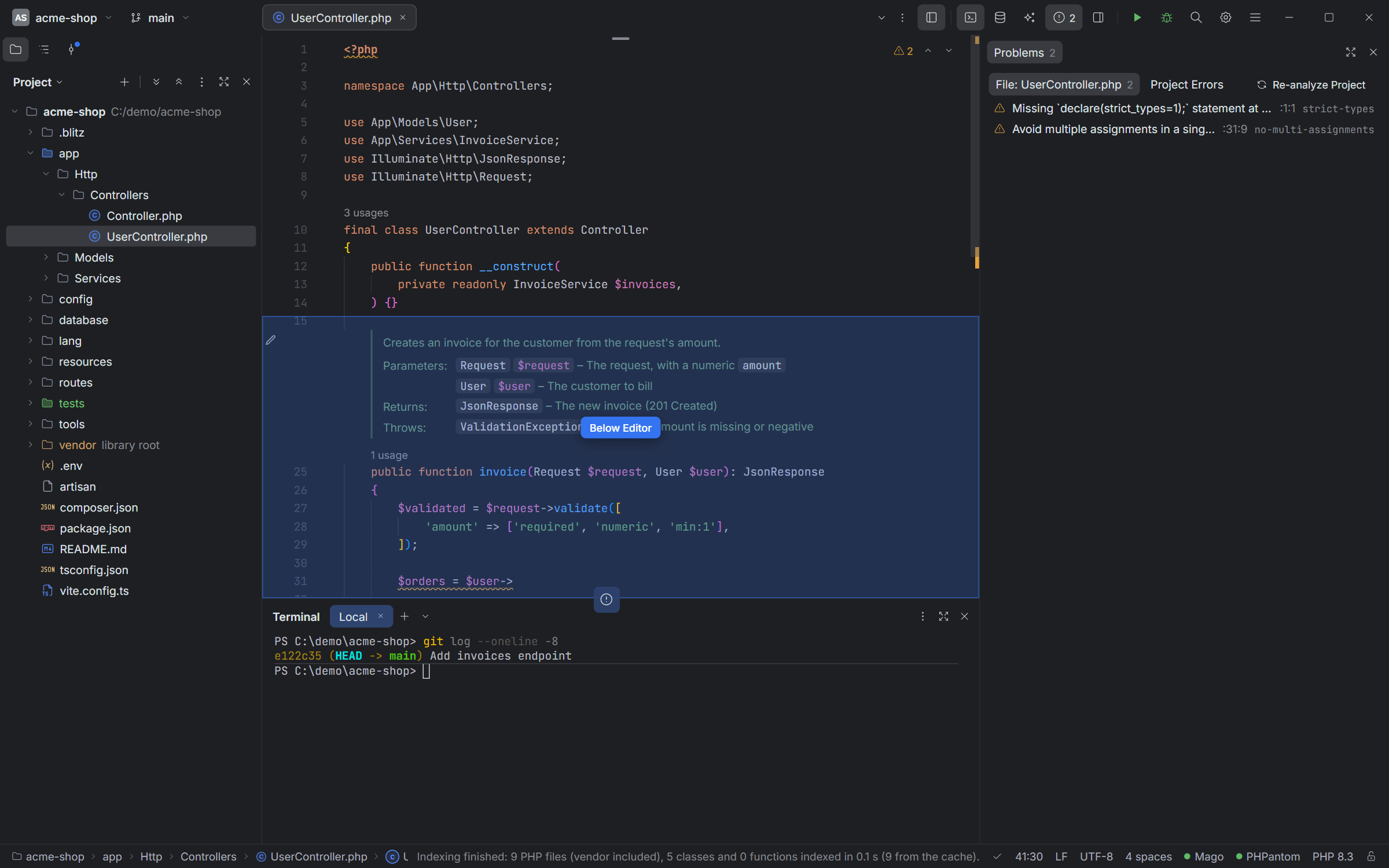
| Drop on a group's… | It goes |
|---|---|
| left or right edge | in a new column on that side |
| top or bottom edge | in a new group above or below it |
| middle | into that group, as its last icon |
| icons | into that group, between the icons where the bar shows |
Esc cancels a drag. Right-click a group's icons to put them on top, at the bottom, on the left or on the right of the group.
Presets
Window ▸ Layouts ▸ Save Current Layout As… (or the top bar's ⋯ list) keeps the panels, their places and sizes under a name, for every project: "Debugging", "Database work"… Choosing it brings them back in one click. Window ▸ Layouts also renames and deletes presets, and Restore Default Layout starts over.
Keyboard
| To | Press |
|---|---|
| Next / previous panel | F6 / Ctrl+Shift+F6 |
| Maximize or restore the panel | Ctrl+Shift+F12 |
| A tool window: Project, Run, Problems, Structure, Git… | Alt+1, Alt+4, Alt+6, Alt+7, Alt+9… |
F6 works from the terminal too: it's the way out of it.
Themes
Every layout works with every theme: Blitz Dark, Light and Classic in two shapes, Islands (rounded panels with gaps) and Flat (panels edge to edge), plus High Contrast. Sync with OS follows your system's light or dark mode. Each project can have a color, shown on its badge and as a glow over the top bar; the project menu's color row has no color too.