
Editor
PHPBlitz's editor is Monaco, with PHP support written for PHPBlitz.
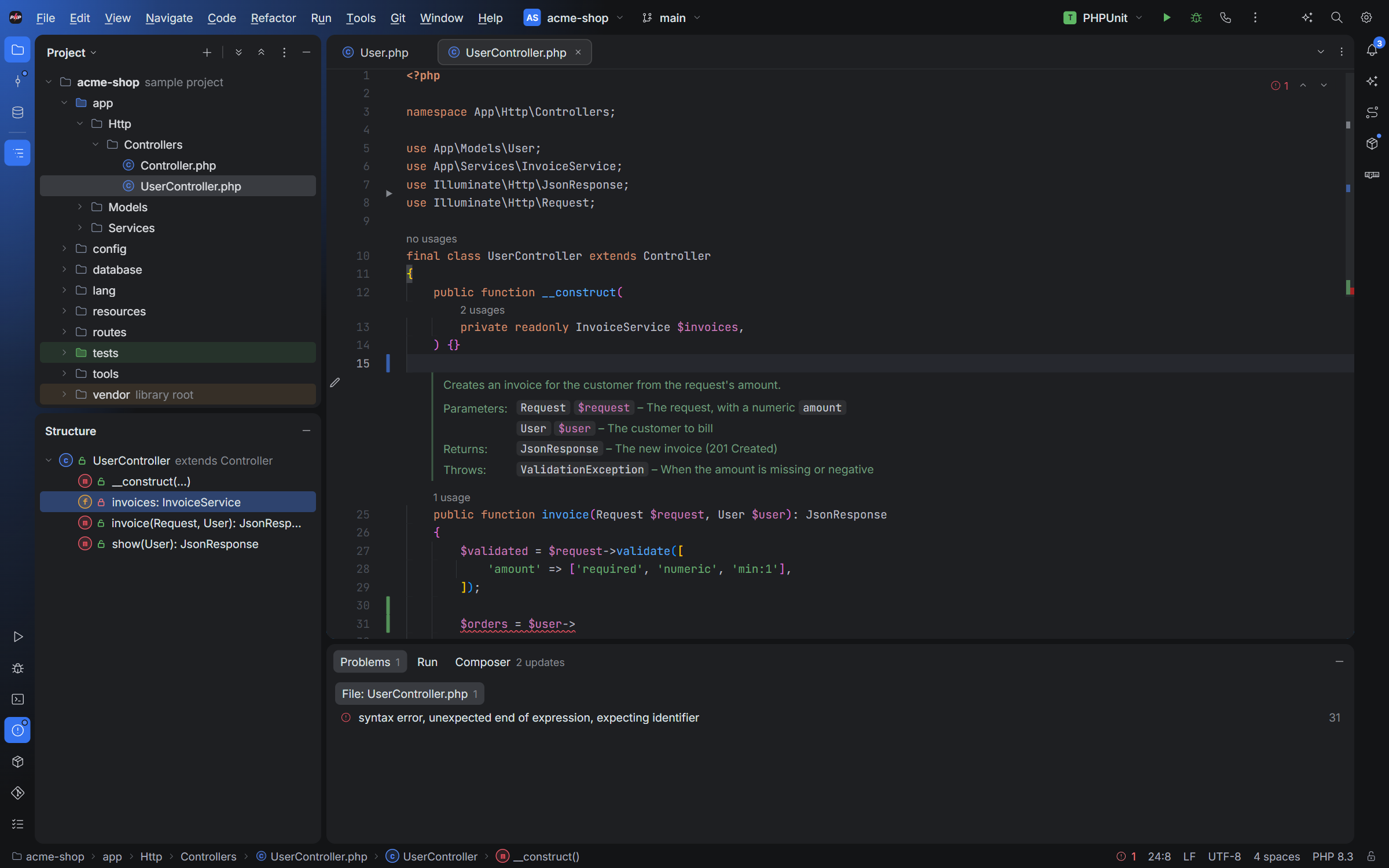
Writing PHP
- Highlighting and completion for PHP, from PHPBlitz's own index of your project and
vendor/. With a PHP language server on yourPATH(phpantom_lsporphp-lsp), completion and refactorings go further. - Doc comments rendered in place: parameters, return types and exceptions read like documentation. Click the pencil to edit the comment.
- Usage counts above classes, methods and functions ("3 usages"): click one to see them.
- Alt+Enter shows the fixes and actions for the caret: import a class, fix a typo, suppress a rule.
- Surround With (Ctrl+Alt+T) wraps the selection in
if,foreach,try/catchand more. Settings ▸ Editor ▸ Surround With edits the templates. - Bookmarks (F11, and numbered ones with Ctrl+Shift+1…), soft wrap, a Markdown preview, and TODO comments with a TODO tool window.
Spelling
Typos in names, comments and strings get a green wavy underline. camelCase and snake_case names are split into words, so getClietn is caught.
- Alt+Enter ▸ Rename to… fixes it. In a name, every usage is renamed at once, in every file.
- Save to dictionary accepts the word for the project. The dictionary is in
.blitz/project.json, shared with your team if you commit it.
Words your project uses in several of its own names (Teamlead, Kimai…) and every word of vendor/ names count as spelled right.
Local History
Every save is kept, also the versions you never committed. Right-click a file ▸ Local History… shows each version as a diff against the current text, and reverts to it in one undoable step.
Comfort
- The lock in the status bar makes a file read-only.
- Drag files from Explorer or Finder onto the Project tree to copy them in, or onto the editor to open them.
- View ▸ Appearance zooms the whole window; Ctrl+Alt+S ▸ Editor ▸ Font sets the editor's font, size and ligatures.